

You've stared at the paint chips. You've bought the sample cans. One looks too green in the afternoon light and the other makes the room feel like a hospital.
There's a better way to do this.
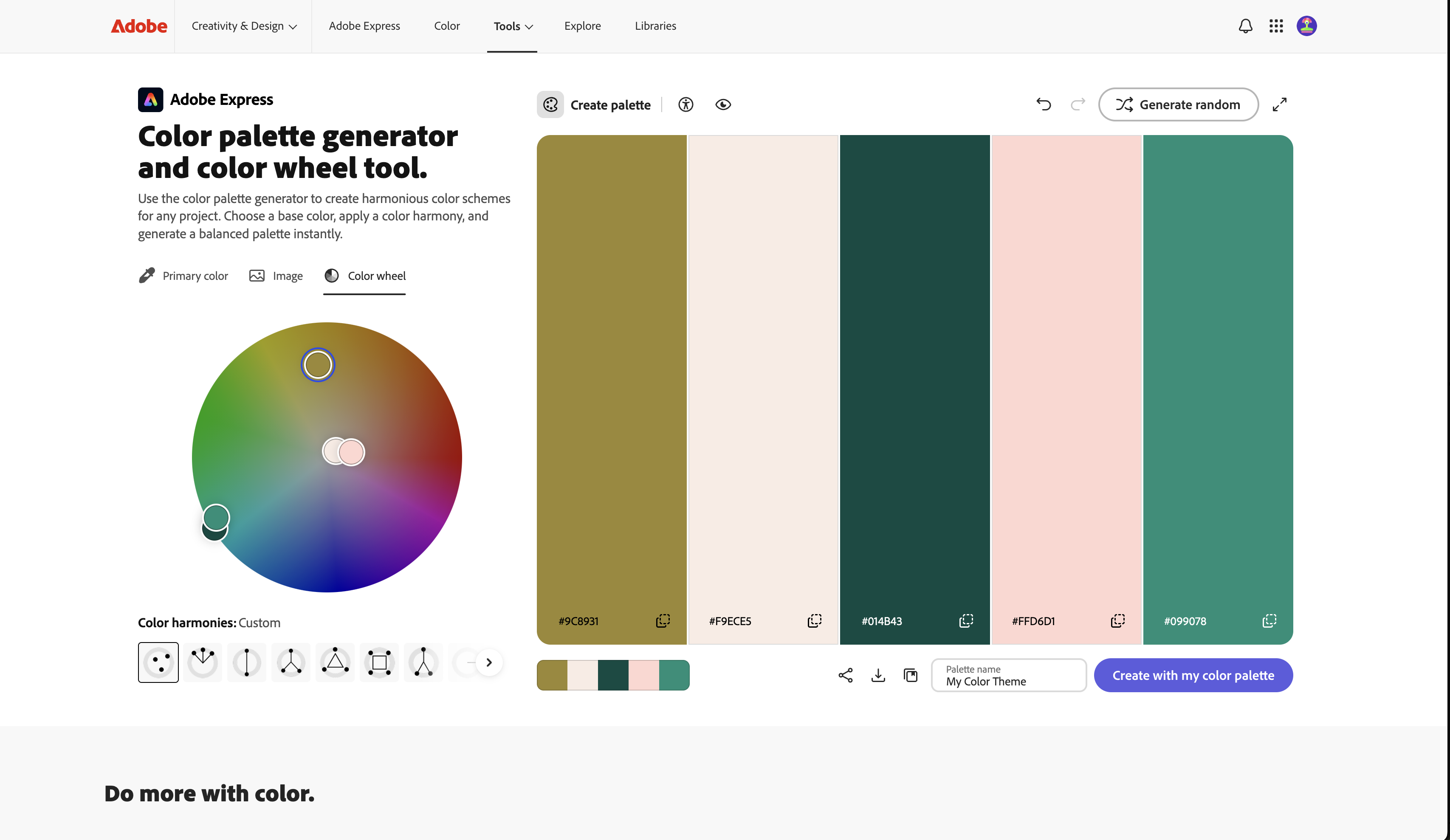
Adobe Color is a free tool that lets you build color palettes that actually work together — and it takes about two minutes. Move a dot around a color wheel and it automatically shows you every shade that pairs with it. Complementary. Analogous. Triadic. Split-complementary. You don't need to know what those words mean. You just need to see what looks right.
But here's the part most people don't know about: you can upload a photo and it extracts the palette from the image. Take a photo of your couch. Your floors. Your kitchen tile. Upload it, and Adobe Color pulls out the exact colors already in your room — and shows you what works with them. No more guessing. No more paint chips that look completely different once they're on the wall.
Same trick works for fashion. Take a photo of a jacket you love and want to build an outfit around. Upload it. See what colors actually pair with it. Stop guessing.
The Explore section has hundreds of thousands of palettes other people have built and shared — searchable by mood, by keyword, by feeling. Search "cozy" or "coastal" or "earthy" and you'll find palettes that actual designers built for exactly that vibe. Save the ones you like. Come back to them.
Adobe makes this free because it feeds into their paid apps. You don't need any of those apps. The color wheel, the photo extraction, the palette library — all free, no account required.
Interior designers charge hundreds of dollars to tell you what colors go together.
Adobe Color does it in two minutes for nothing.
Go pick your next wall color.