
TURN A PHOTO INTO A TORN-PAPER ANIMATION IN SECONDS. FREE, NO WATERMARK, NO SIGN-UP.
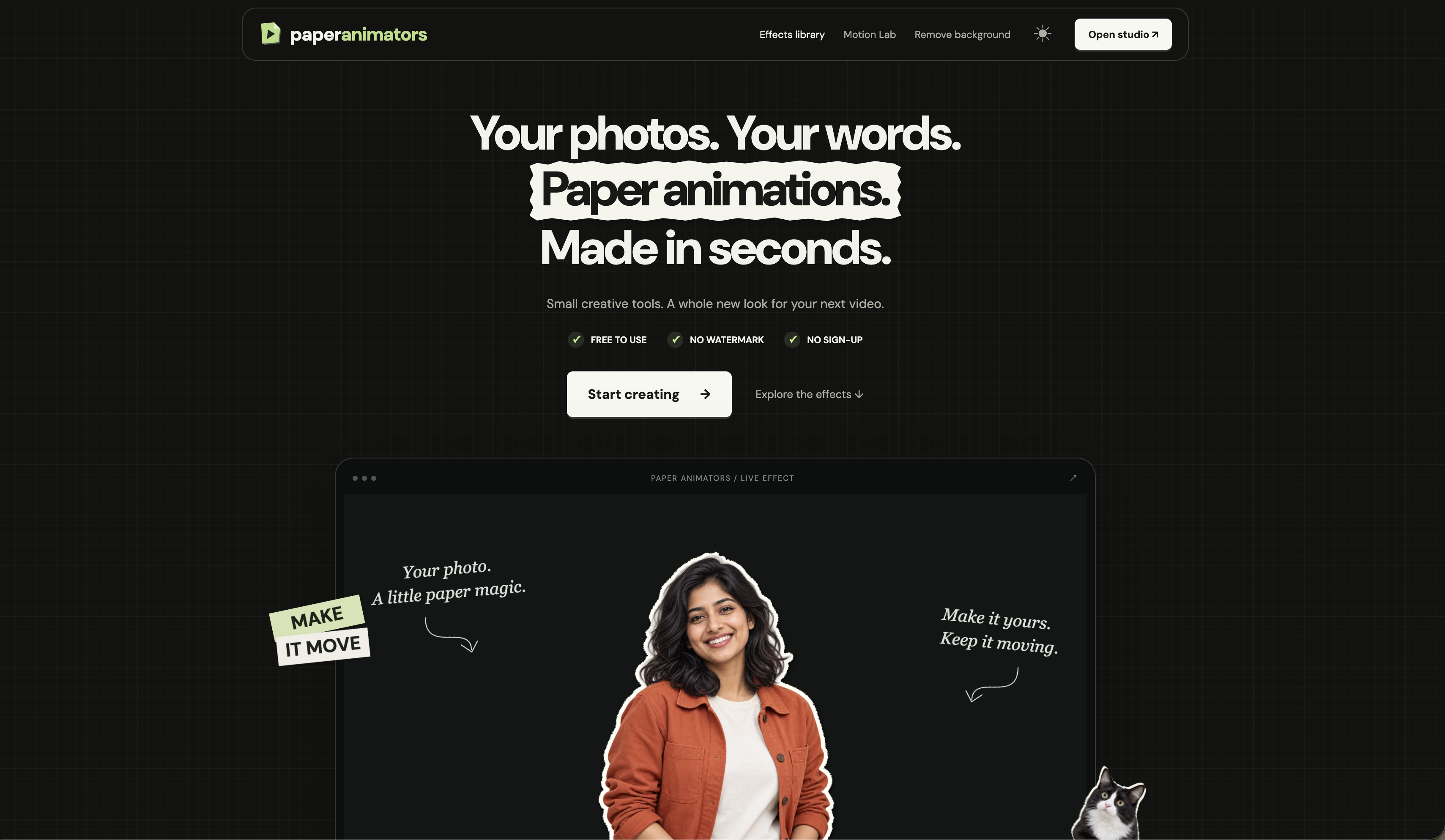
If you've watched any video made in the last few years, you've seen the look: a person cut out of a photo with a rough white paper edge, a headline assembled from torn newspaper scraps, a little paper plane tracing a route across a map. It looks handmade. It usually takes a skilled editor hours of setup.
Paper Animators puts that setup into a browser tab.
Here's how it works. The site is a library of 23 customizable effects. Pick one, drop in your own photo or words, adjust the colors, the paper, and the timing, and export a clip of up to 60 seconds, or just a still frame. There's no account, no watermark, and nothing to install.
A few of the effects, to give you a feel:
- Paper Cutout Sticker: turn a photo or a short video into a torn-edge paper sticker, with controls for the outline, shadow, and motion. - Crumple Cutout Reveal: a crushed ball of paper opens up in tactile stop-motion to reveal your cutout. - Torn Headline Reveal: nine interlocking newspaper fragments fly together to spell out a headline. - Paper Flight: a paper plane traces a great-circle route across a textured atlas with real country boundaries, and there are map variants for multi-stop journeys, radar pulses on a city, and global connections. - Evidence Board: photos, pinned notes, and connecting threads form an animated investigation. - Text Match Cut: one highlighted word stays perfectly in place while newspaper pages, typefaces, and creased paper change around it. - Typewriter, Magnifying Glass, Magazine Letters: more tactile effects built around type.
There's also a background remover: add a photo or short video, remove the background, and save a transparent PNG, with no watermark and no sign-up. For editors, there's green-screen export, so you can drop an animation over your own footage in CapCut, Premiere Pro, or any editor.
Your files stay on your device, according to the site. It says the photos and videos you choose are processed locally in your browser, and that the optional background removal uses downloadable models.
Who's behind it: the About page describes an independent project built by a creator with five years of video editing and After Effects experience and two years working with AI products. It says it isn't affiliated with similarly named animation services.
A few honest notes: it works best in current desktop Chrome or Edge, and performance depends on your hardware. You need permission for any images or text you add, even though the results are free to use in client projects. And the FAQ says "our current tools are free," which is a promise about now, not forever.
If you've ever wanted your photos to look like they belong in a documentary, give it a few minutes.
READY? HERE IT IS.
 oh, one more thing before you go — word on the street is you missed past Rubbernecks and you're falling behind. The archive.
If you click and buy something, we may earn a small cut. If it's boring, we don't feature it.

GET TOMORROW'S
JAW-DROPPER.
One site. Every day. Free. In your inbox. No garbage. Unsubscribe whenever.
🐔 YOU THINK THIS IS THE ONLY ONE?
THERE ARE HIDDEN GEMS
YOU HAVEN'T SEEN YET.
A new jaw-dropper every day. Go dig through the archive — there's something in there that will wreck you.